Turning On Vehicle Recognition
Vehicle recognition is off by default. When it is on, vehicles and license plates are recognized on every camera in the place.
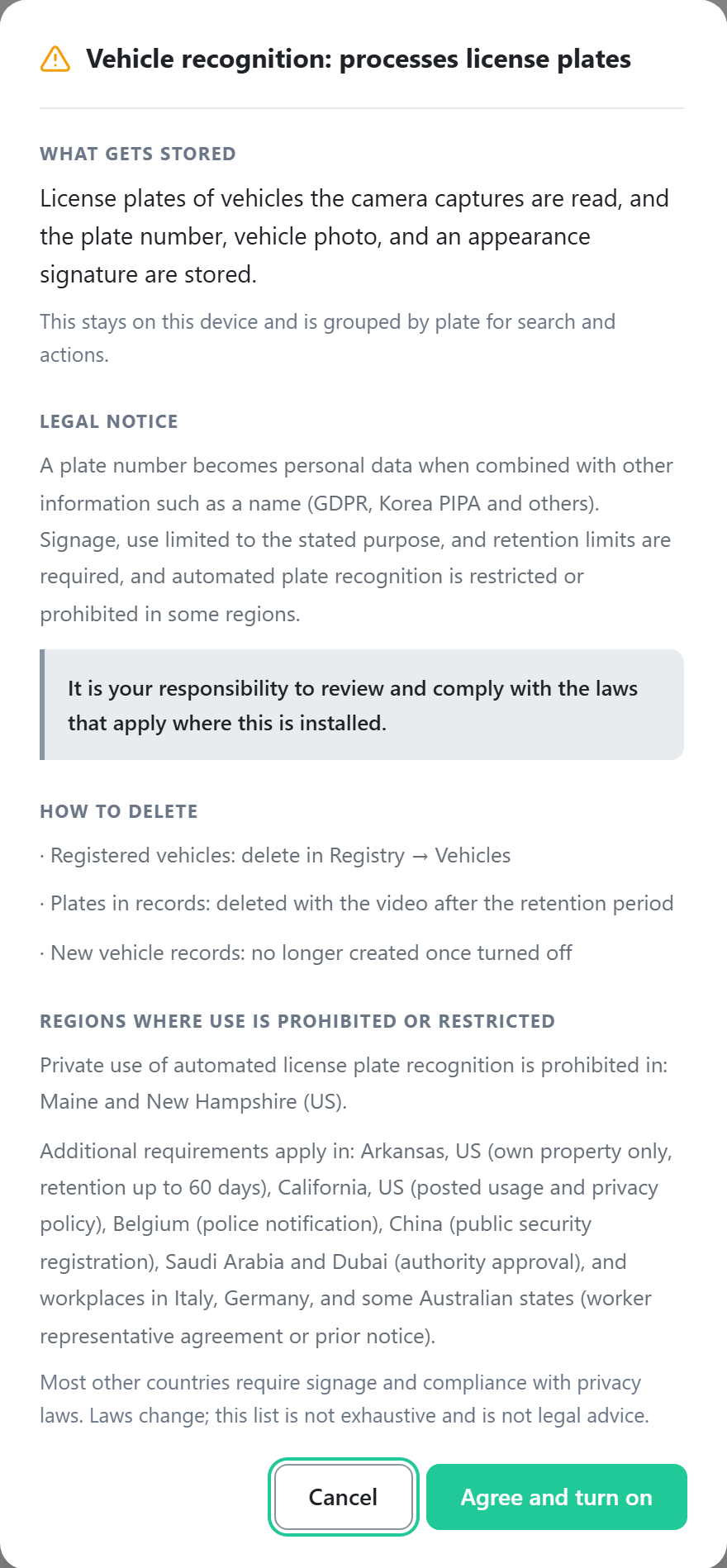
A plate number becomes personal data when combined with other information such as a name (Korea PIPA, GDPR, and others). Signage, use limited to the stated purpose, and retention limits are required, and automated plate recognition is restricted or prohibited in some regions. You are responsible for verifying and complying with the regulations that apply at the installation site.
- On the Settings tab, click the Vehicle recognition row.
- Turn on the switch at the top. A license plate processing notice is shown.
- Review the notice and click Agree and turn on.
- If needed, choose values for the settings below. The defaults work for most sites.
- Click Save on the save bar at the bottom of the screen.
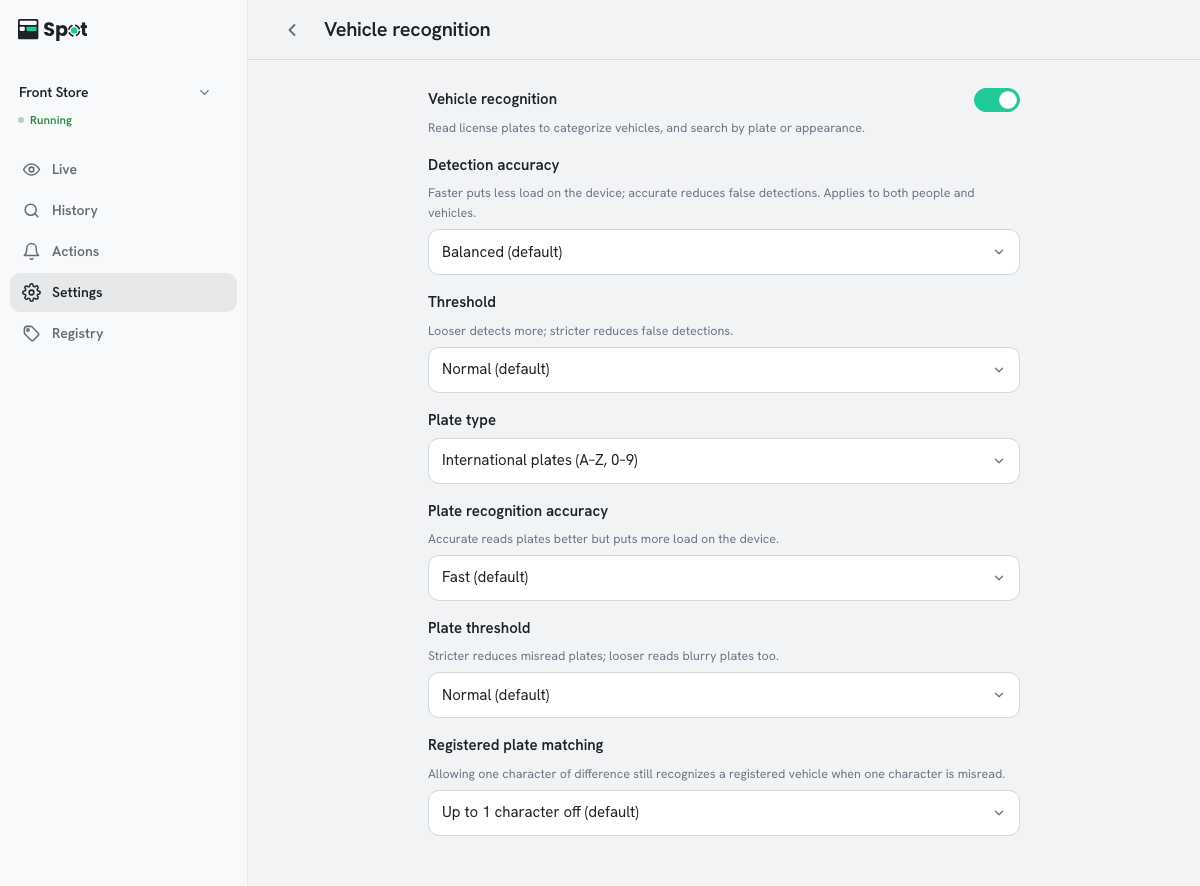
| Setting | What it does | When to change |
|---|---|---|
| Detection accuracy | The precision of the analysis that finds people and vehicles. | Accurate when the device has headroom |
| Threshold | How confident detection must be to count an object as a vehicle. | Strict if things that are not vehicles are detected |
| Plate type | The format of the plates to read. | Korean plates in Korea, International plates anywhere else |
| Plate recognition accuracy | The precision of the analysis that reads plates. Higher precision puts more load on the device. | Accurate if plates are often misread |
| Plate threshold | How confident the reading must be to be accepted as a plate number. | Strict if many plates are misread, Loose to read blurry plates too |
| Registered plate matching | How closely a read plate must match a registered plate. | Exact match if other vehicles are mistaken for registered ones |
Options and defaults for each setting
- Detection accuracy: Fast, Balanced (default), or Accurate.
- Threshold: Loose, Normal (default), or Strict.
- Plate type: Korean plates or International plates (A–Z, 0–9). The default depends on the display language (Korean plates when the language is Korean).
- Plate recognition accuracy: Fast (default) or Accurate.
- Plate threshold: Loose, Normal (default), or Strict.
- Registered plate matching: Up to 1 character off (default) or Exact match. With the default, a registered vehicle is still recognized when one character is misread.
Which plates each plate type can read
Korean plates reads these formats:
- Single-row plates with 7 characters (e.g. 12가3456) or 8 characters (e.g. 123가4567)
- Commercial plates (e.g. 11바9876) and electric vehicle plates
- Older plates that start with a region name (e.g. 서울12가3456)
- Two-row plates (e.g. 경기28바5489)
International plates (A–Z, 0–9) reads plate numbers made of capital letters A to Z and digits 0 to 9, up to 10 characters. Characters in other scripts, such as Arabic or Thai, are left out of the plate number.
It uses an open model (fast-plate-ocr) trained on plates from the 65 countries below. Accuracy has not been verified for plates from countries that are not listed.
Albania, Andorra, Argentina, Armenia, Australia, Austria, Azerbaijan, Bahrain, Belarus, Belgium, Bosnia and Herzegovina, Brazil, Bulgaria, Cambodia, Canada, Croatia, Cyprus, Czech Republic, Denmark, Estonia, Finland, France, Georgia, Germany, Gibraltar, Greece, Guernsey, Hungary, Iceland, Indonesia, Ireland, Israel, Italy, Latvia, Liechtenstein, Lithuania, Luxembourg, Malaysia, Malta, Mexico, Moldova, Monaco, Montenegro, Netherlands, New Zealand, North Macedonia, Norway, Poland, Portugal, Qatar, Romania, San Marino, Serbia, Singapore, Slovakia, Slovenia, Spain, Sweden, Switzerland, Thailand, Turkey, United States, Ukraine, United Kingdom, Vietnam
Turning vehicle recognition off
- Items with a vehicle condition pause, and the list on the Actions tab shows Stopped: vehicle recognition is off. Turning it back on restores them.
- Registered vehicles and saved records are not deleted.
- At least one of person, face, vehicle, and animal recognition must stay on, so the switch cannot be turned off while vehicle recognition is the only one on.