Let your cameras control Zigbee devices, without Home Assistant
To have a camera turn on a Zigbee light or siren, you usually run an NVR, a Zigbee hub or Home Assistant, and an automation that ties them together. Litmus NVR drives a Zigbee USB dongle itself: when a camera detects a person, vehicle, animal or sound, it sets the Zigbee devices you chose.
Add a Zigbee device
- Plug a Zigbee USB dongle into the computer running Litmus.
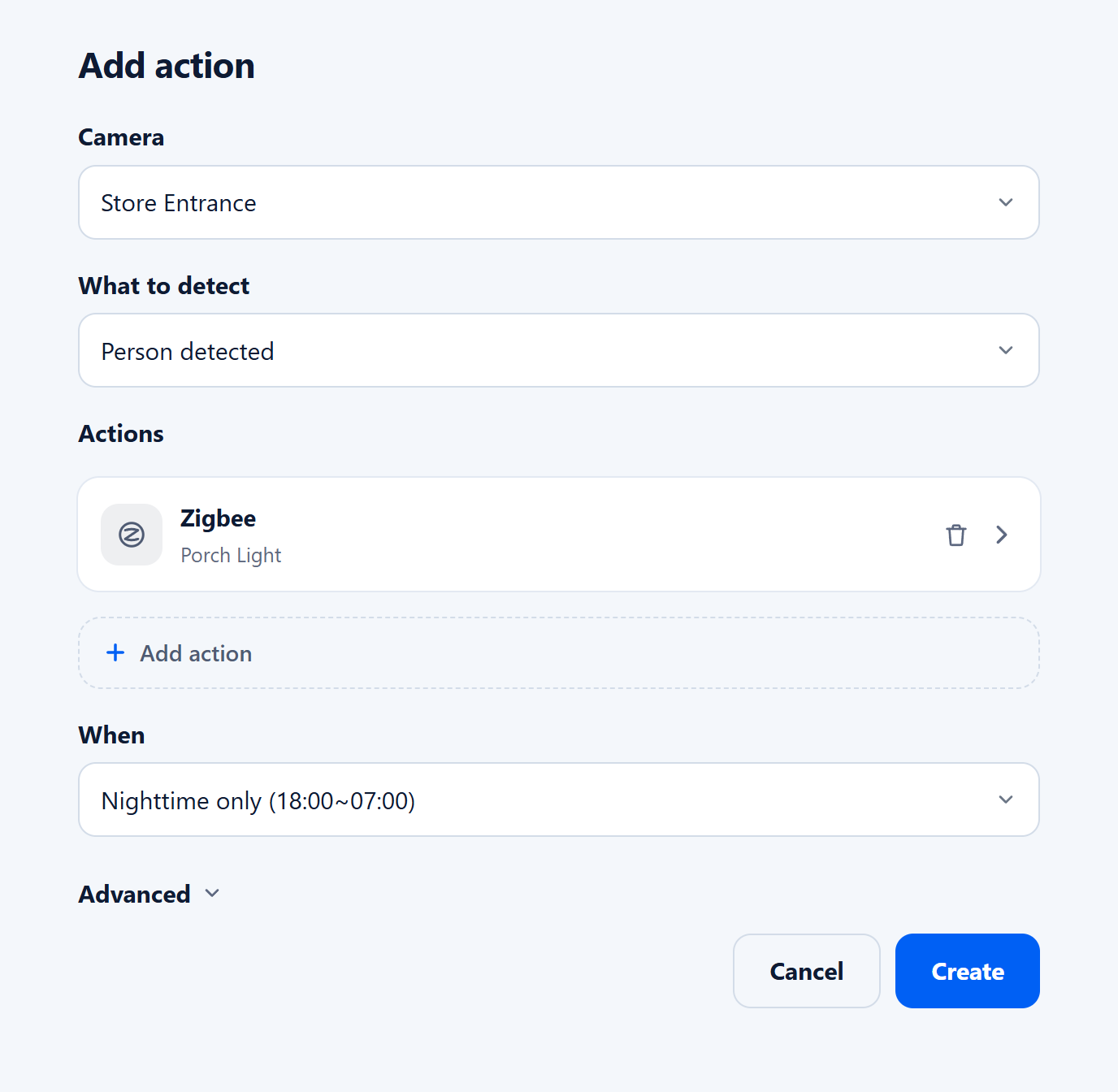
- On the Actions tab, click Add action. Under Actions, click Add action again and choose Zigbee.
- Click Select next to Zigbee device. The Zigbee Device Manager opens and finds the dongle.
- Click + Add and put the device in pairing mode. It appears in the list with its name, model and manufacturer.
- Choose the device and click Select.
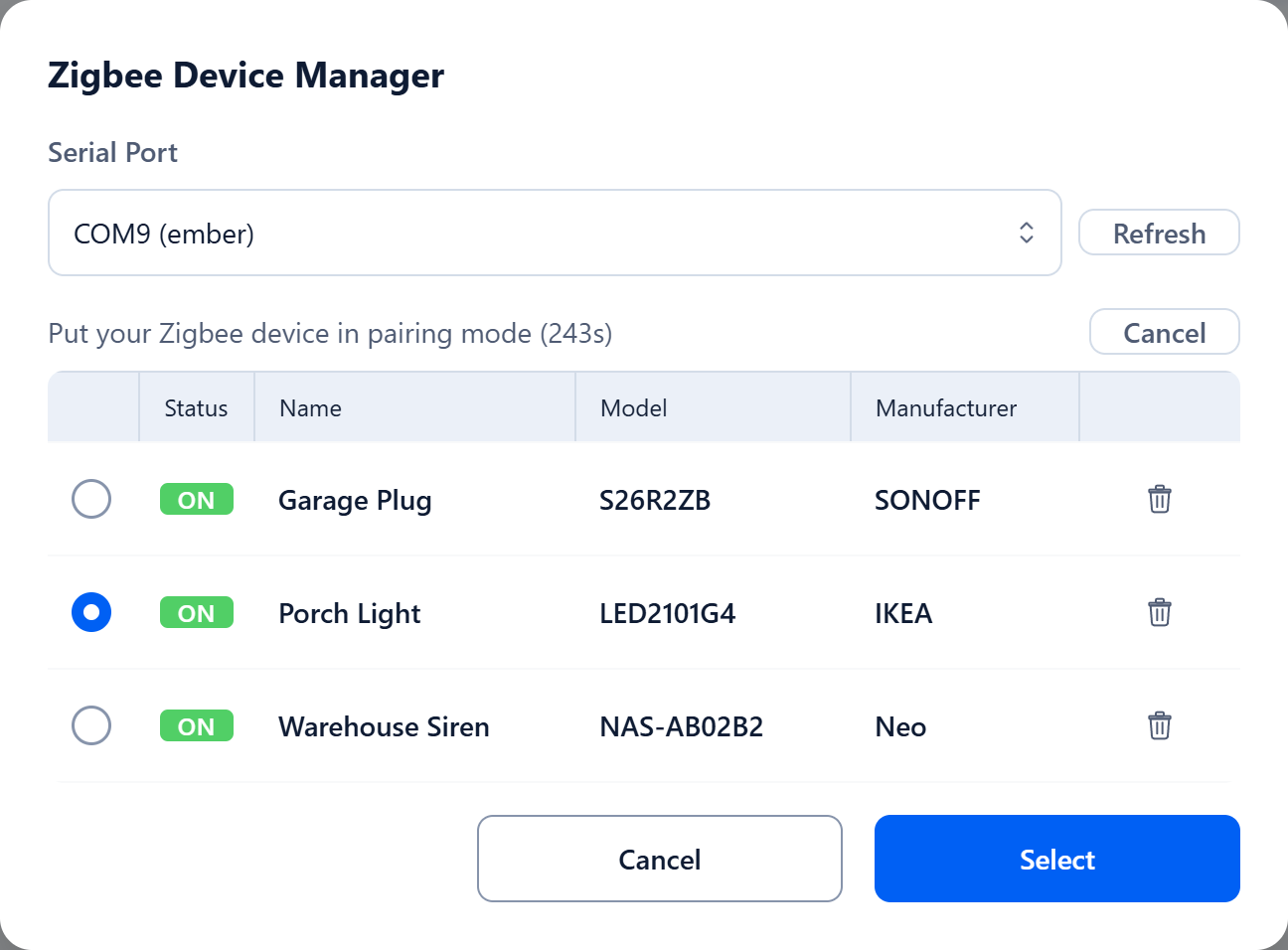
A device you add stays in the list, so you can choose it again in other actions without pairing.
Choose what it does
The Right away table lists what the device can change, such as State or Brightness. Check a row and enter the value: State True turns a light or plug on. To turn it off later, click Add values, enter the time in seconds or minutes, and set State to False. Click Done, then choose the cameras, What to detect and the hours, and click Create.
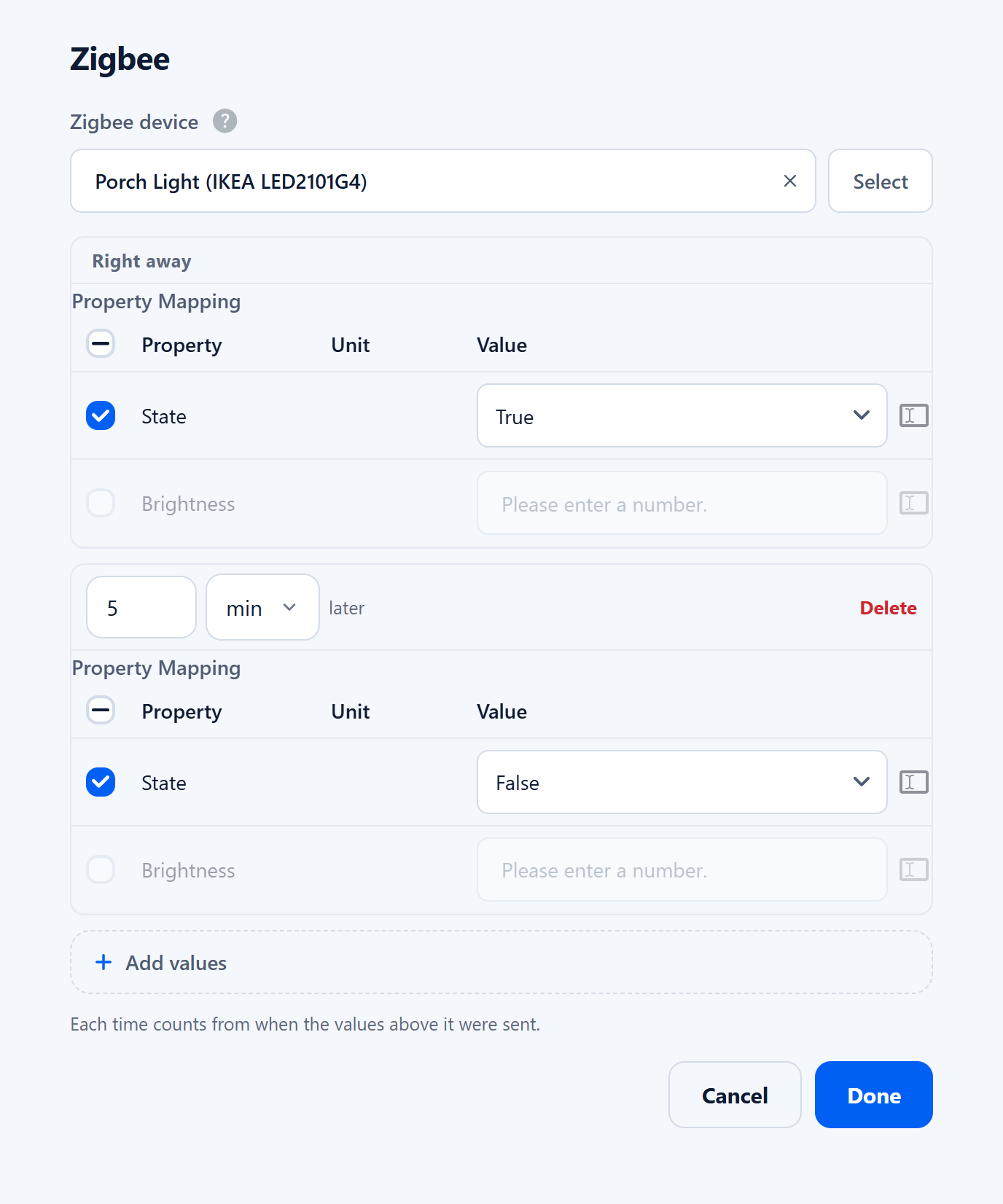
If a camera detects again while values are being sent, Litmus sends the rest and then starts once more from the beginning.
Examples
| When | Zigbee device | Values |
|---|---|---|
| A person at the front door, nighttime only | Porch light | On, then off 5 minutes later |
| A person in the warehouse after closing | Siren | Alarm on, then off 1 minute later |
| A vehicle in the driveway | Plug for the garage light | On, then off 10 minutes later |
| Glass breaking is heard | Living room light | On |
What Litmus does
- Every person and vehicle becomes a card. Litmus detects people and vehicles as it records and turns each one into a card, so you browse who was there instead of scrubbing a timeline.
- Follow someone across cameras. Open a card to see that person’s stays on each camera in time order, and play any of them.
- Four ways to search. By appearance (clothing and build), by face with no enrollment, by a description such as “a person in a yellow shirt”, or by attributes like clothing color, bag, hat and age group. Vehicles can be searched by license plate, and a partial plate works.
- Works locally, no sign-up. On your network, open it in a browser without a Litmus account.
- Remote viewing without port forwarding. Add the device to your Litmus account, and the phone app and browser connect over an encrypted peer-to-peer connection, which works on most home and office routers.
- Video stays on your hardware. Recordings and analysis are stored on the computer running Litmus, not in the cloud.
Questions
Can I keep my Zigbee hub?
Yes. A Zigbee device joins one network at a time, so the devices Litmus controls are paired with the Litmus dongle. Devices left on your hub keep working there.
What hardware does Litmus need?
An Intel N100 mini PC handles 1 to 2 cameras, a 12th-gen Core i5 5 to 6, a 12th-gen Core i7 9 to 10, and an Apple M2 Mac 12 to 14. A Raspberry Pi 5 handles 1 to 2. A graphics card lets the same PC handle more cameras. These are for 1080p cameras at the default 10 analyses per second. The Apple M2 count is measured. The PC counts are estimates based on CPU performance.
Is Litmus NVR really free?
Yes. Every feature is free with no camera limit. Live View over a direct connection is unlimited on every plan. Paid plans only add relay server bandwidth for networks that block direct connections, and more cloud storage for alert photos.