Starting, Stopping, and Saving Settings
Start or stop recording and analysis on all cameras at once. This section also explains when changed settings take effect.
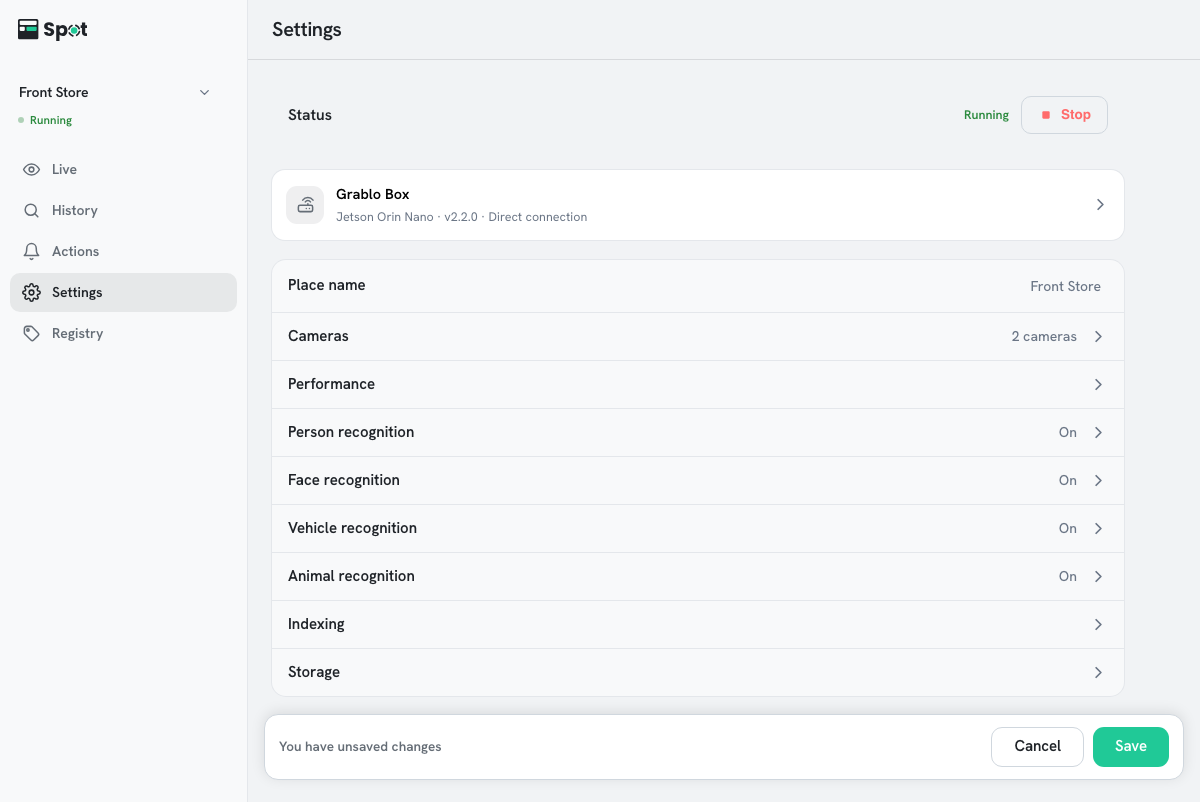
- In the Status row at the top of the Settings tab, click Stop or Start. The button is unavailable while no device is connected or while the device is starting or stopping. While the device is stopped, the Live tab also shows a The device is stopped notice with a Start button above the cameras.
The device has stopped or started when the status changes to Stopped or Running.
Caution
While stopped, nothing is recorded and no actions run. Litmus never starts the device on its
own: a stopped device stays stopped, in every browser and on every phone, until someone clicks
Start.
Note
The device remembers whether it is running or stopped. After a reboot, it returns to its last state.
When you save settings
- Changes to settings, cameras, and actions apply only when you click Save on the You have unsaved changes bar at the bottom of the screen. Cancel discards every unsaved change.
- Saving while the device is running opens the Restart device dialog. Apply restarts the device, and detection and recording pause briefly.
- If the device is stopped, saving does not start it; the settings take effect when the device starts again.
- You can save even when no device is connected. Saved settings are applied after the device connects.
Caution
If Settings were saved, but some changes were not applied. Please save again.
is shown, save again. Until you do, the device's actual
behavior does not match the settings on screen.
Save bar and restart details
- Unsaved changes are kept when you switch tabs.
- The save bar appears on every screen of the Settings tab except the camera add and edit screens, and is hidden while you edit an item on the Actions tab. You can save without returning to the settings list.
- The Restart device dialog opens only for changes that need a restart. If you only turned items on the Actions tab on or off, the change usually applies without a restart.