Connecting Home Assistant
Turn on the Home Assistant integration in Litmus, then add the Litmus NVR integration in Home Assistant.
Before you begin
- Home Assistant 2025.1 or later must be on the same network as the device.
- You need the username and password of the Litmus local account (Local account).
- For Home Assistant to find a device installed with Docker by itself, the container must use host networking. The provided docker-compose.yml uses host networking. Without it, you can still add the device by its address.
- In Settings > Integrations, turn on the Home Assistant switch. The first time you turn it on in a place that has actions, the Restart device window appears. Click Apply.Detection and recording stop for a few seconds during the restart. After that, turning integrations on or off does not restart the device.
- Check the address shown under Address. Click Copy to copy it.
- Install the Litmus NVR integration in Home Assistant. In Settings > Marketplace, select Add from link in the upper right, enter https://github.com/grablo/litmus-hass-integration under GitHub link, and select Add. Install Litmus NVR, and restart Home Assistant if you are asked to. On Home Assistant 2026.10 or earlier, add the same address with the Integration type from Custom repositories in the HACS menu at the top right, install it, and restart.
- In Home Assistant, go to Settings > Devices & services, click Add integration, and select Litmus NVR.On the same network, Litmus NVR may also appear under the discovered integrations. In that case, click Add on that item.
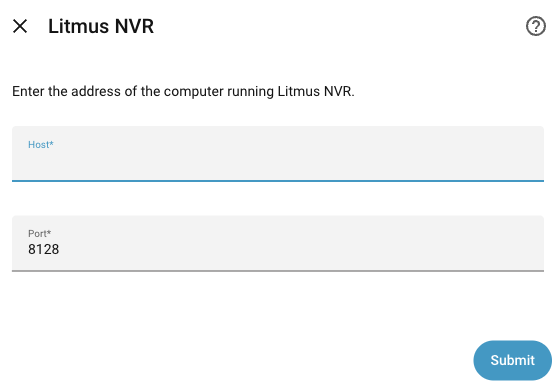
- Enter the first part of the address (for example, 192.168.0.10) in Host and 8128 in Port, then click Submit.If you added it from the discovered item, a window that confirms the address appears instead. Click Submit.
- Enter the username and password of the Litmus local account and click Submit. Home Assistant does not store the password.
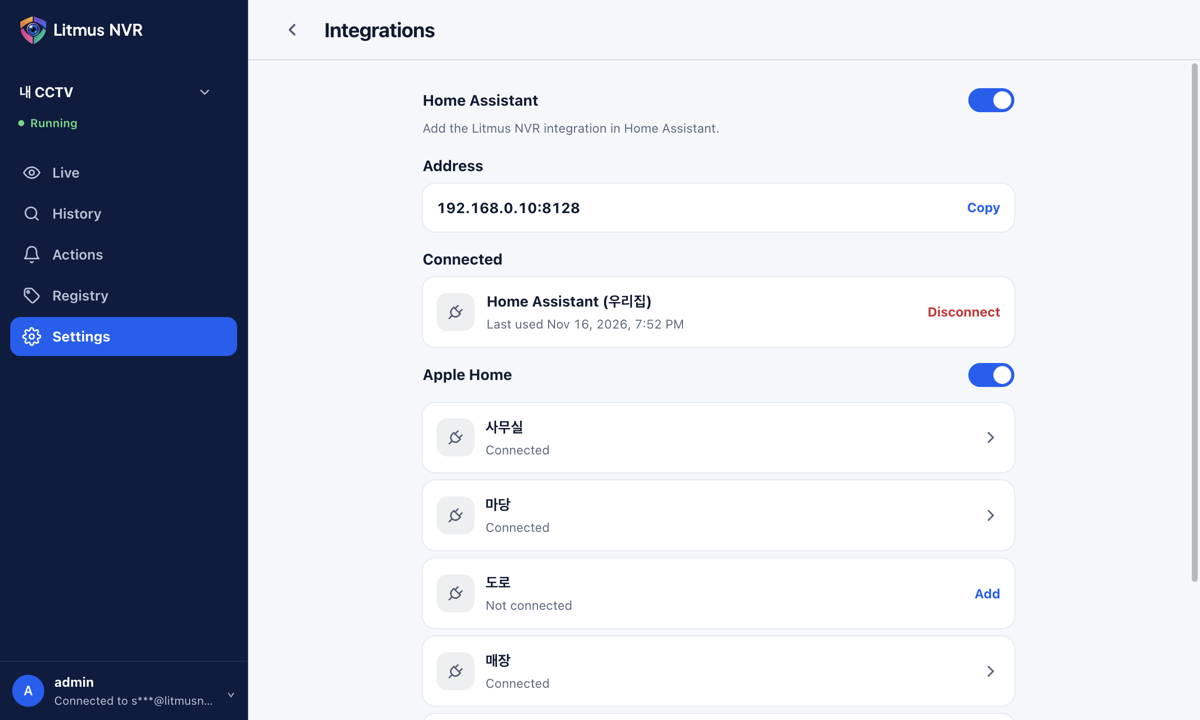
Once connected, Home Assistant appears in the Connected list in Litmus. The name in parentheses is the home name set in Home Assistant.
Messages while connecting
| Message in Home Assistant | What to do |
|---|---|
| Home Assistant is turned off in Litmus NVR. Turn it on in Settings › Integrations. | Turn on Home Assistant in Settings > Integrations in Litmus. |
| Turn on Home Assistant in Litmus NVR › Settings › Integrations. If you don't see it, update Litmus NVR. | Turn on the integration, or if the menu is missing, update the device software to 2.4.0 or later. |
| Too many connections. Disconnect an unused one in Litmus NVR under Settings › Integrations. | In the Connected list, click Disconnect on a Home Assistant you no longer use. |