Places and Account
Manage several sites as separate places, and change the language, theme, and more from the account menu.
Places
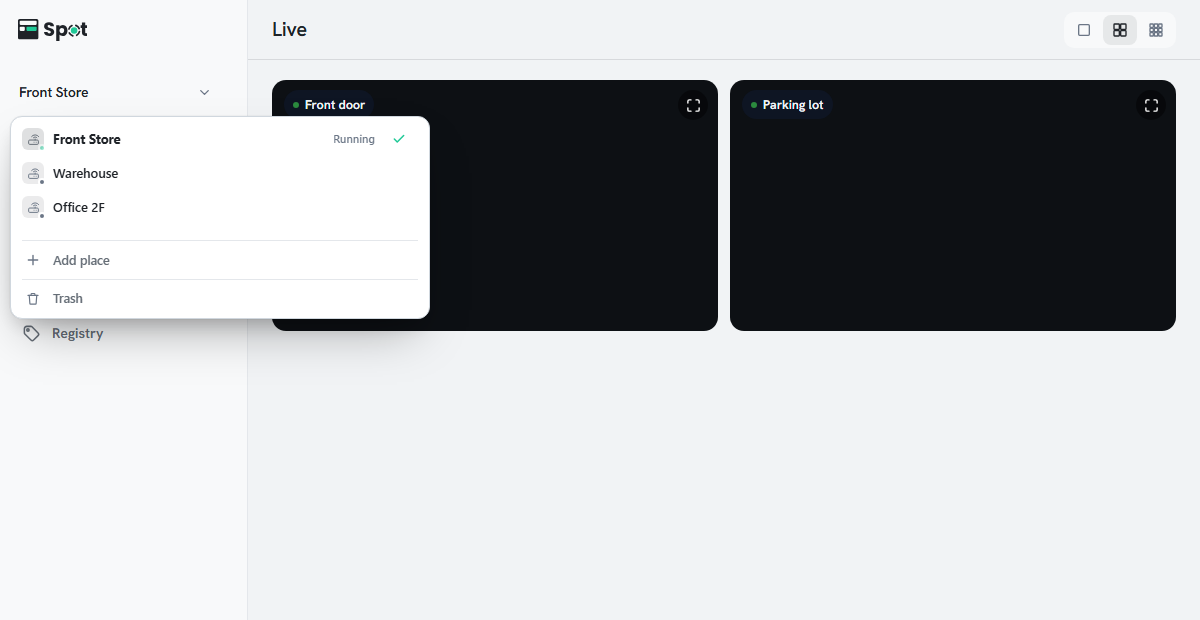
A place is one device together with its cameras, history, and actions. Click the place name at the top left to switch places or click Add place. Next to each place name are a pencil icon (rename), a copy icon (duplicate), and a trash icon (delete). Duplicating a place does not copy its device connection. Clicking Add place opens Device Manager. Select a device and click Connect to add that device's place and open it; if the device has no place, a new place is created (see Connecting the Device).
Account menu
The account menu is at the bottom left on a desktop and under Settings > Account on a phone. It contains Profile, Language, Theme, Help (this guide), Contact Us, and Sign out. On the local screen, Contact Us is shown only when the device is linked to your account, and you change the local account password in Profile (see Changing or Resetting the Password). The local screen also shows Remote access (see Turning On Remote Access from the Local Screen).